








Keep your own phrases close
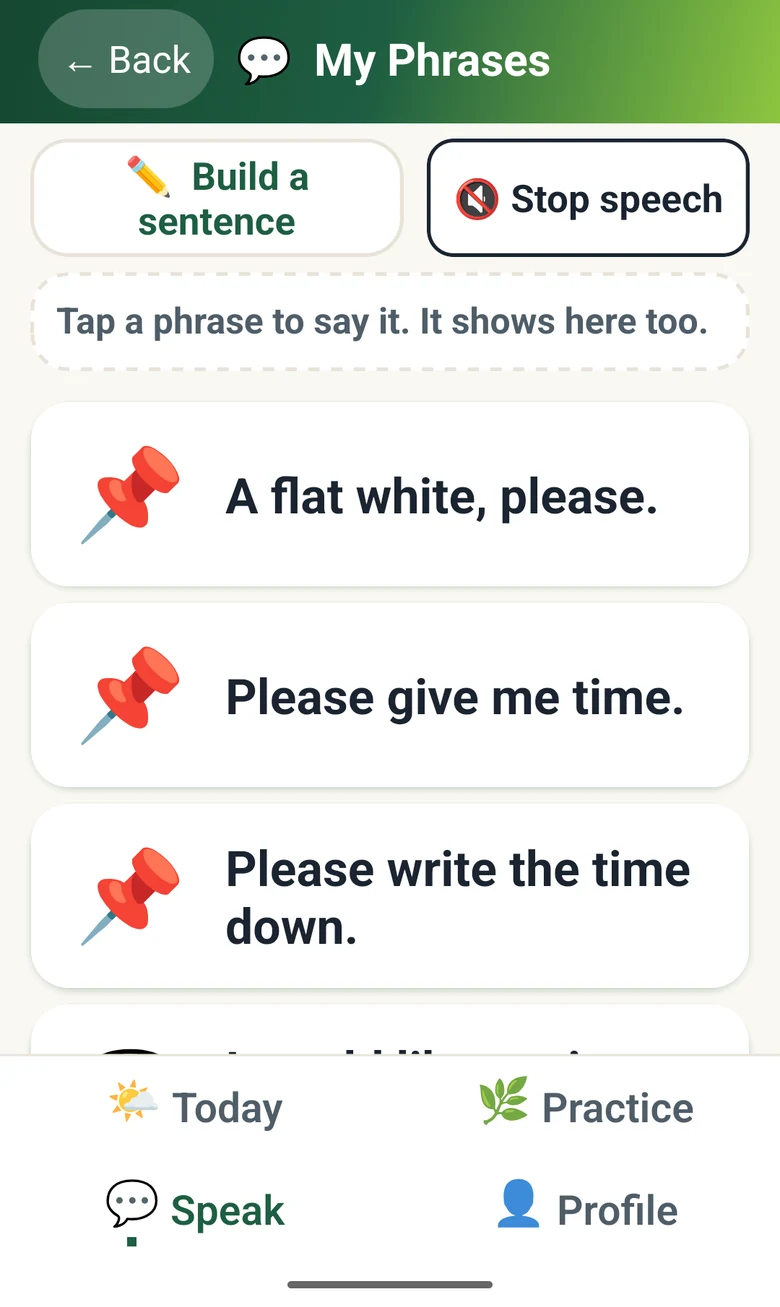
My Phrases holds the sentences you use most, like ordering a coffee or asking for a moment. Tap one to say it; it shows in large type too.
Development preview
Communication support for adults
Every word forward.
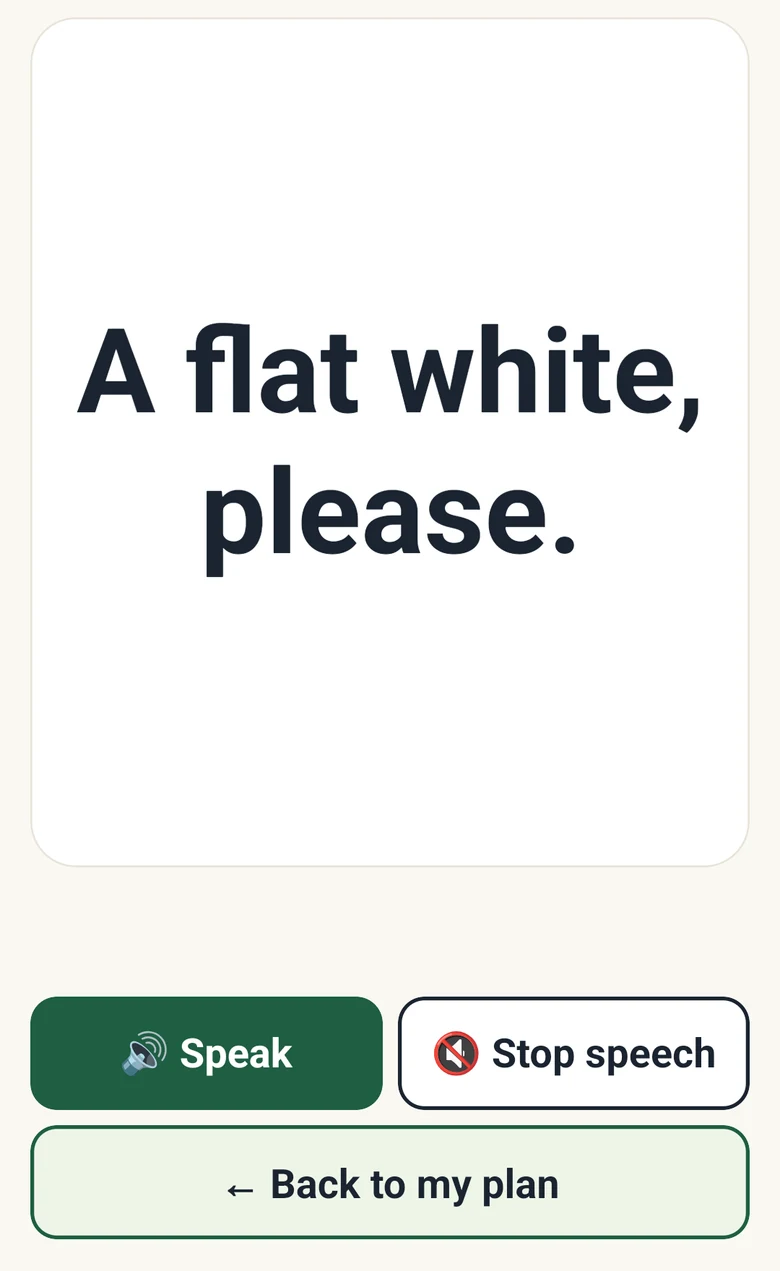
Show the words you need. Show: one phrase in large type, with Speak and Stop speech.
Speech Forward keeps the words you use most close at hand. Show a phrase in large type, or let your phone say it aloud. When you have a quiet minute, practise short scripts for moments you can see coming, like a doctor's visit.
In developmentPhonesNot yet available
In the moment
When speaking is hard, every extra step matters. Speech Forward keeps your own phrases one tap away, can step through choices for you, and lets you show or say them without hurrying.
My Phrases holds the sentences you use most, like ordering a coffee or asking for a moment. Tap one to say it; it shows in large type too.
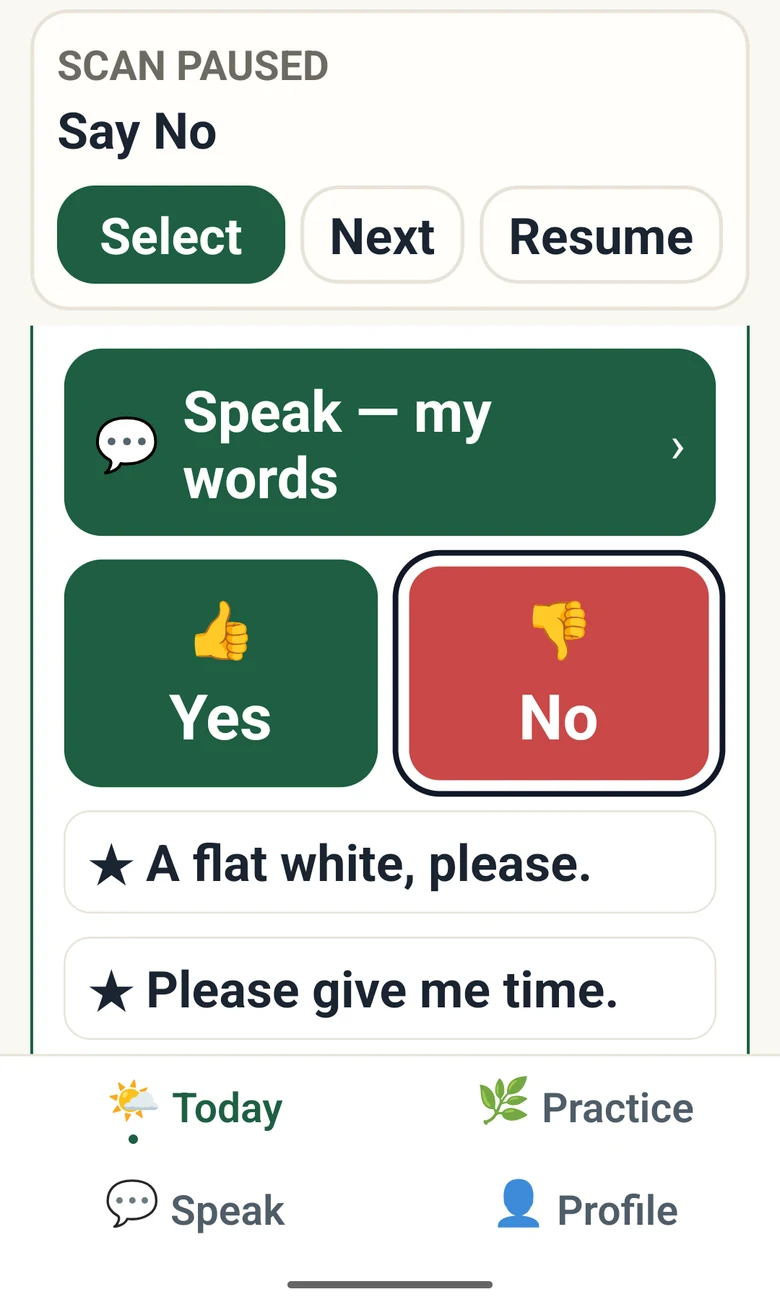
App scanning moves through the choices one at a time. Select the one you want, move on, or pause and resume when you're ready.
Choose a phrase and it fills the screen, large enough to read across a table. Or press Speak and your device says it in its own voice. Try the idea below.
Message
I would like the soup
A website illustration of Show. It is not the app and makes no sound.
Before it comes up
Some moments you can see coming. Script Training walks through one of them a line at a time, at whatever pace suits you.
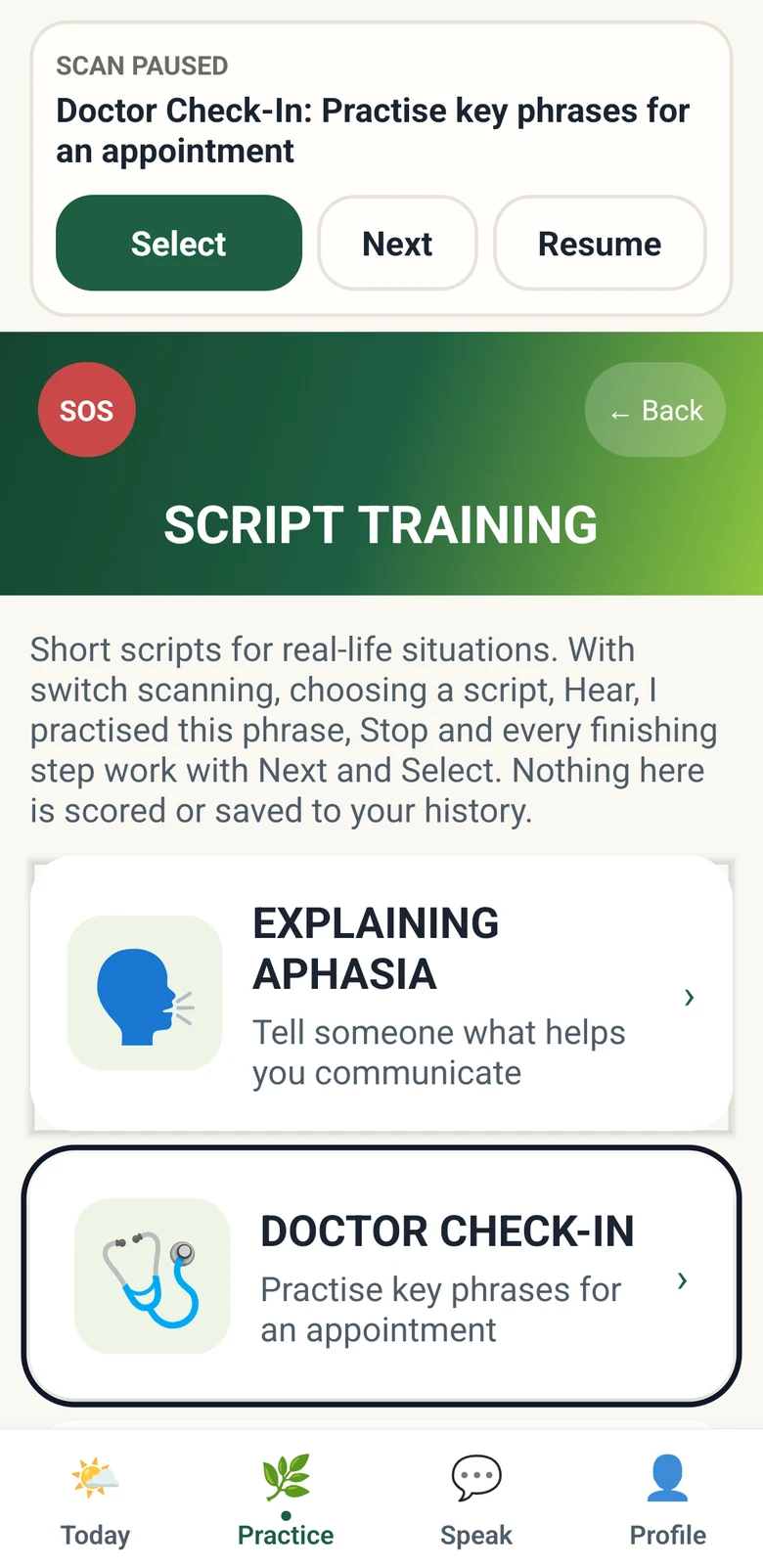
Script Training has short scripts for real situations, such as explaining aphasia to someone new or a check-in with a doctor.
Android development build on an emulator.
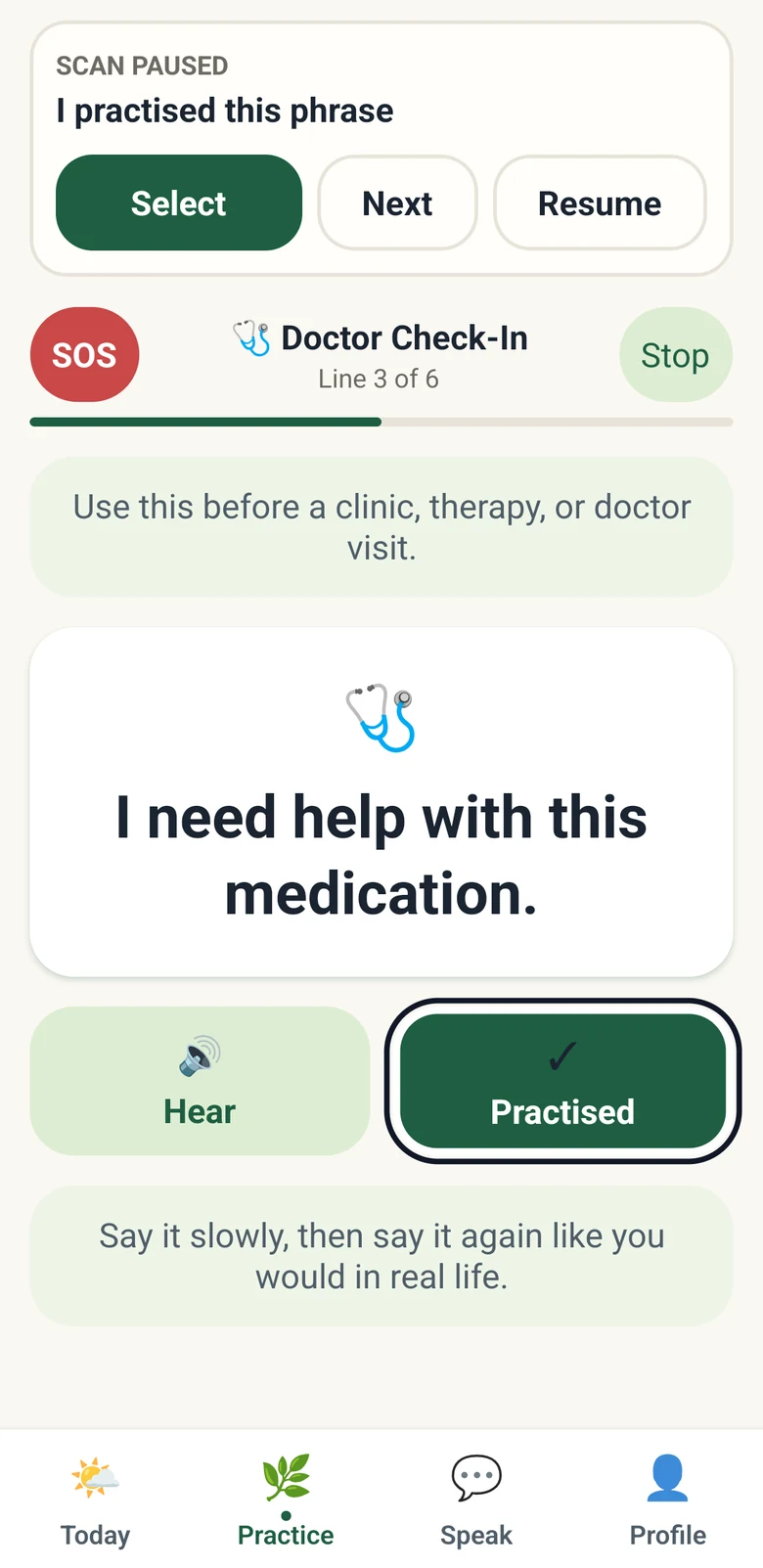
Each line appears in large type. Hear it, say it, and mark it practised when you're ready. Nothing is scored.
Android development build on an emulator; app scanning paused.
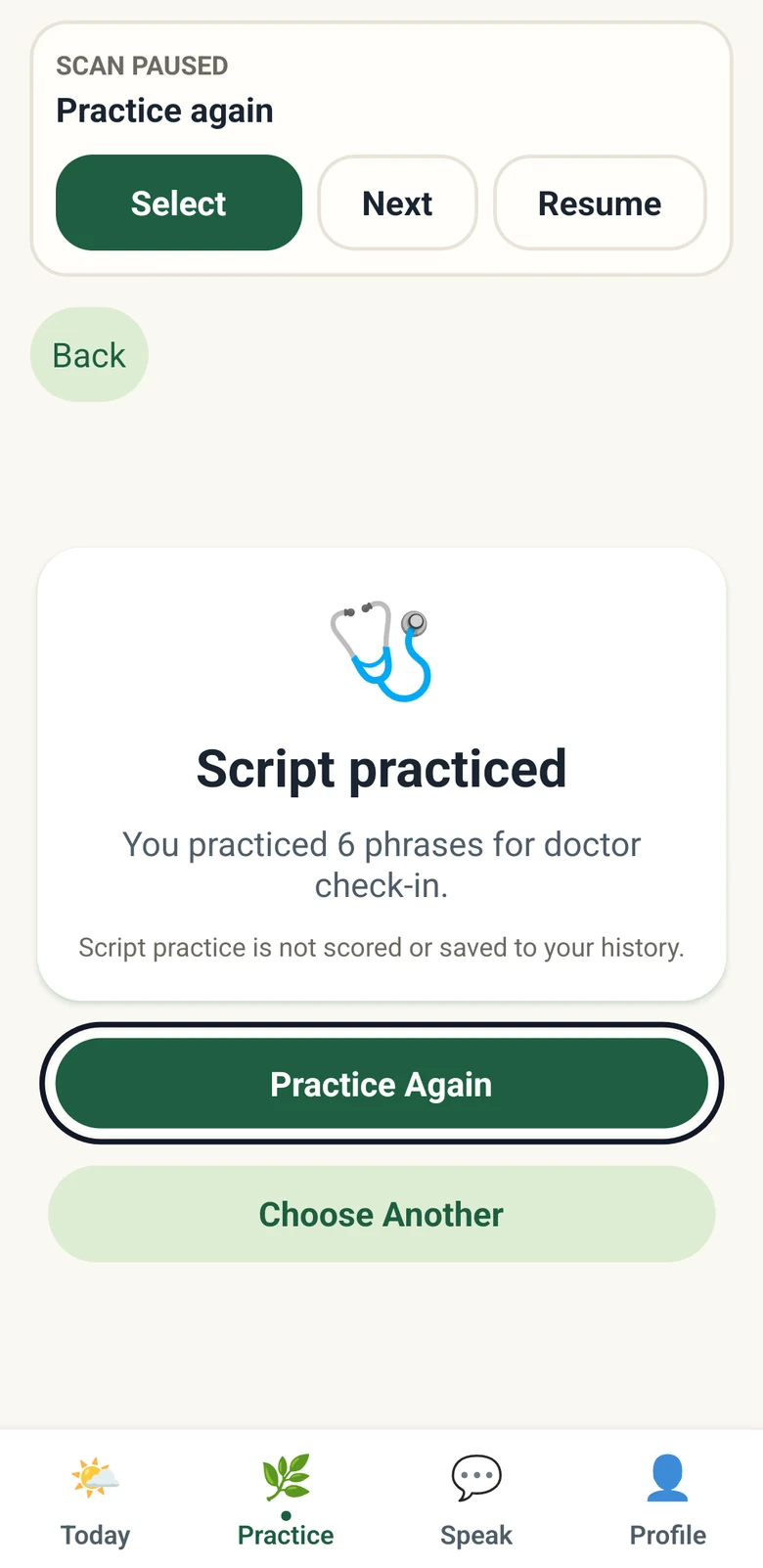
At the end, practise the script again or pick a different one. Script practice isn't saved to your history.
Android development build on an emulator.
Where it stands
Speech Forward is in development and isn't available yet. The screens come from Android development builds with sample phrases, several checked on an emulator. Speaking uses your phone's own text-to-speech voices, which a picture can't show.
Speech Forward is not a medical device or a substitute for professional care. It does not diagnose, and it does not promise recovery.
Follow Speech Forward
We'll email you when there's testing or availability news. The next page shows how to sign up.
Follow Speech Forward