









Event nightVenue management
Stadium Tycoon
Get the venue ready. Then open the gates.
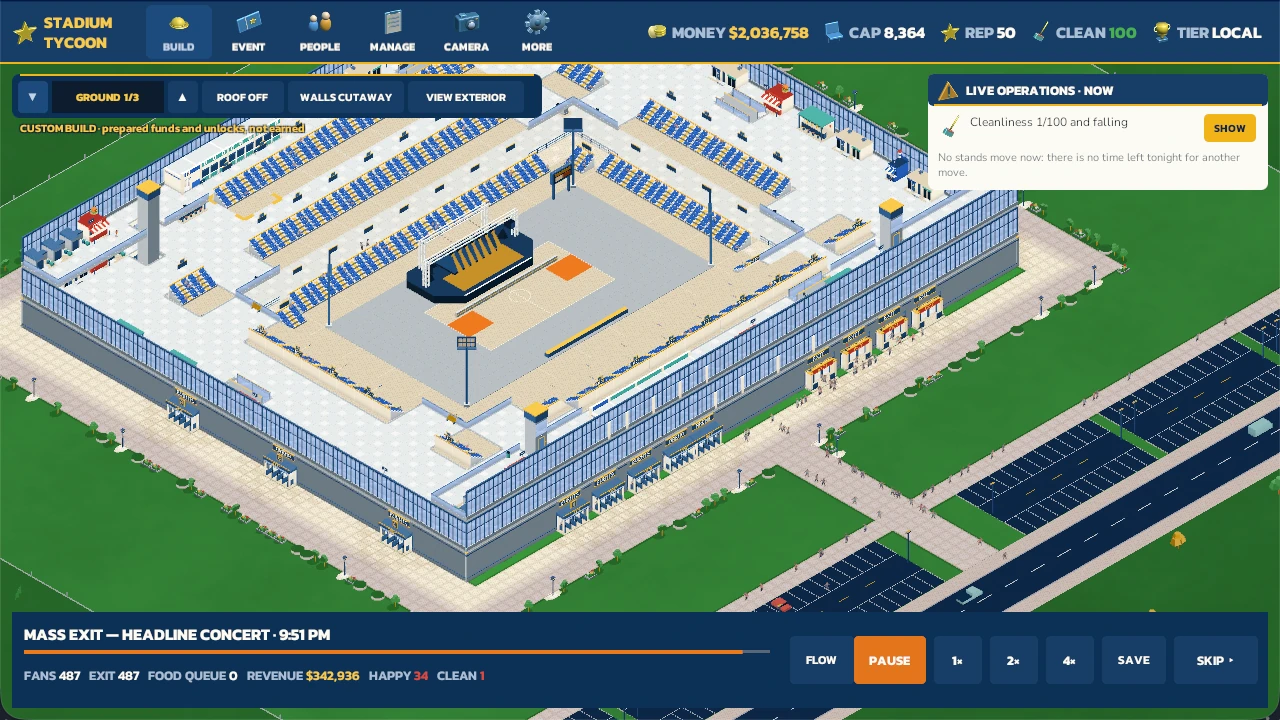
Tonight's decision · read from the screen above by this page
- The moment
- A headline concert is letting out: the last 487 fans are leaving and $342,936 has come in.
- The warning
- Cleanliness is down to 1 of 100 and falling, and the crowd's happiness reads 34.
- The call
- Nothing can be moved tonight, so the fix goes into the next booking's crew plan.
Stadium Tycoon is a management sim about everything around the event. Build stands, gates and paths, get the venue ready, then open the gates and see how well the crowd is served. The night report tells you what to fix before the next one.
In developmentDesktopNot yet available
Tonight's run sheet
- Get readyBuild and connect stands, gates and paths until the checklist says the venue is ready.
- Open the gatesThe crowd arrives, finds its seats and heads for the food.
- Watch the serviceThe live bar and operations card show where the night is going wrong.
- Read the reportIt names what went wrong and compares the night with the last one, so you can change the crew and try again.
Before the gates open
Every choice shows up on the night.
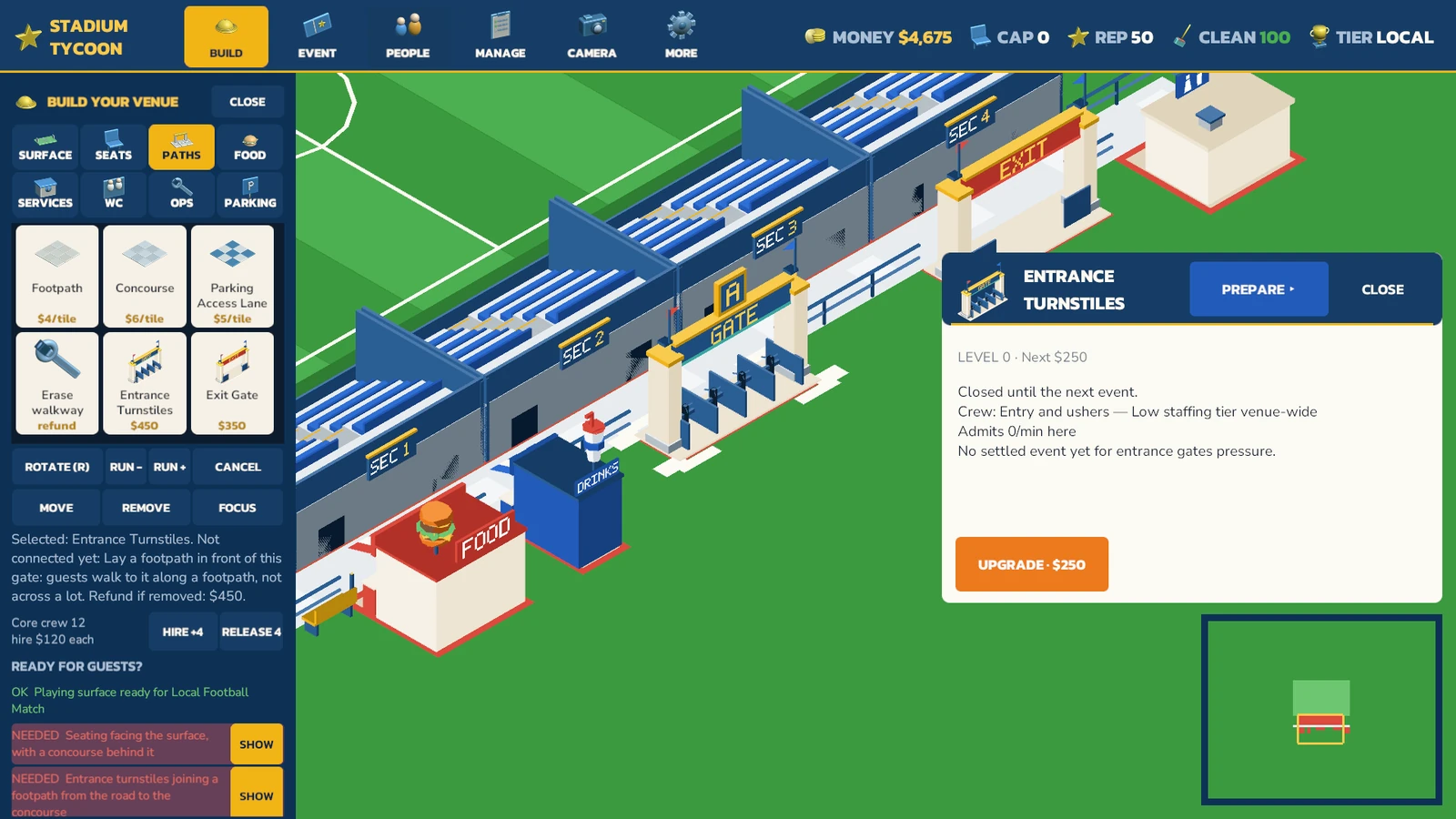
Where the food goes, how people reach their seats, what an upgrade costs: you settle it here, and the crowd lives with it later. Choose a control below the image to see where it is and what it changes.
1. Build
Open the build catalog to add facilities, seating and the paths between them.
2. Paths
Connect the entrance and stands to the concourse. The catalog shows each piece and its price.
3. Selection
The entrance card names the selected turnstiles and shows what an upgrade would cost.
4. Resources
Money, capacity, reputation and cleanliness stay visible while you build.
5. Readiness
The checklist names missing connections. Show takes you to the part that needs attention.
6. Placement
Rotate, move or remove a piece before committing to the next part of the venue.
Connect the entrance to the venue. Development editor capture. Outline added by this page.Burger and cup roof props: Model components created with Meshy, modified by Trailmark Studios.
After the event
Learn from the night, then change the crew.
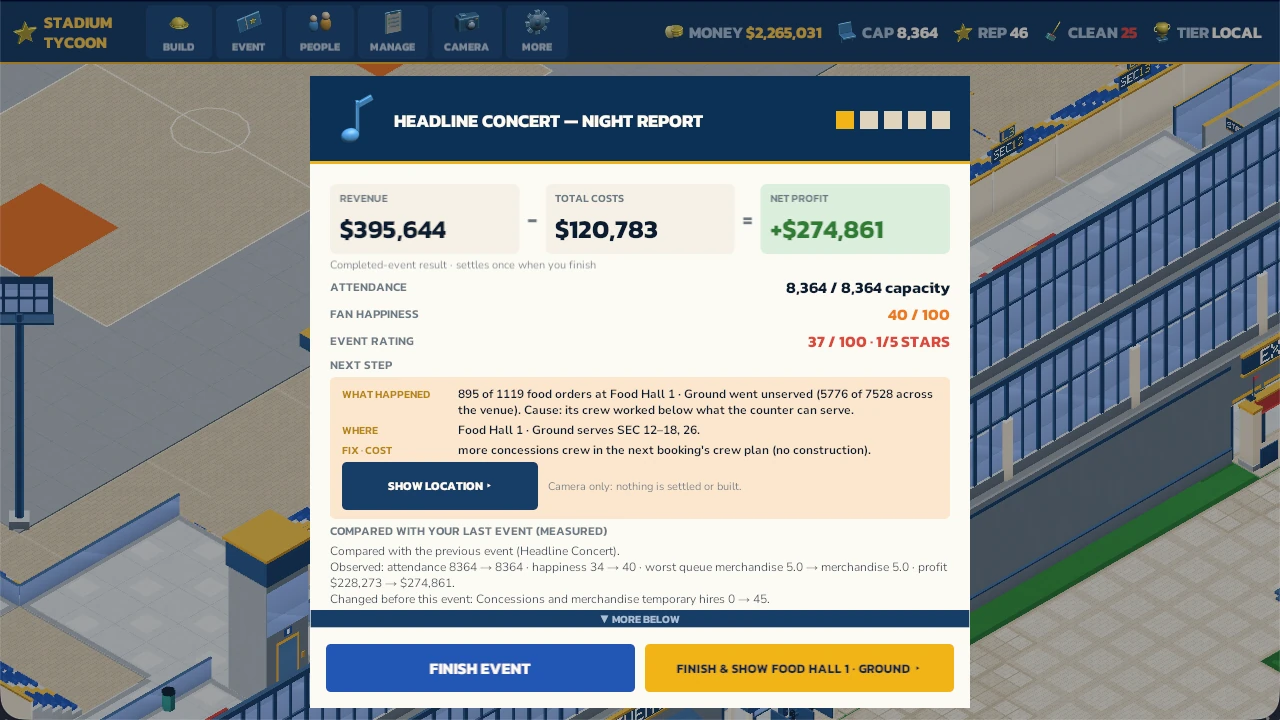
The night report says where the evening fell short, names a fix and compares it with your last event. Before this second concert, 45 temporary concessions staff were hired; it measured happier fans and more profit than the first, though one food hall still couldn't keep up.
Money and reputation carry over, so a well-run night makes the next one easier to pay for.
Where it stands
In development.
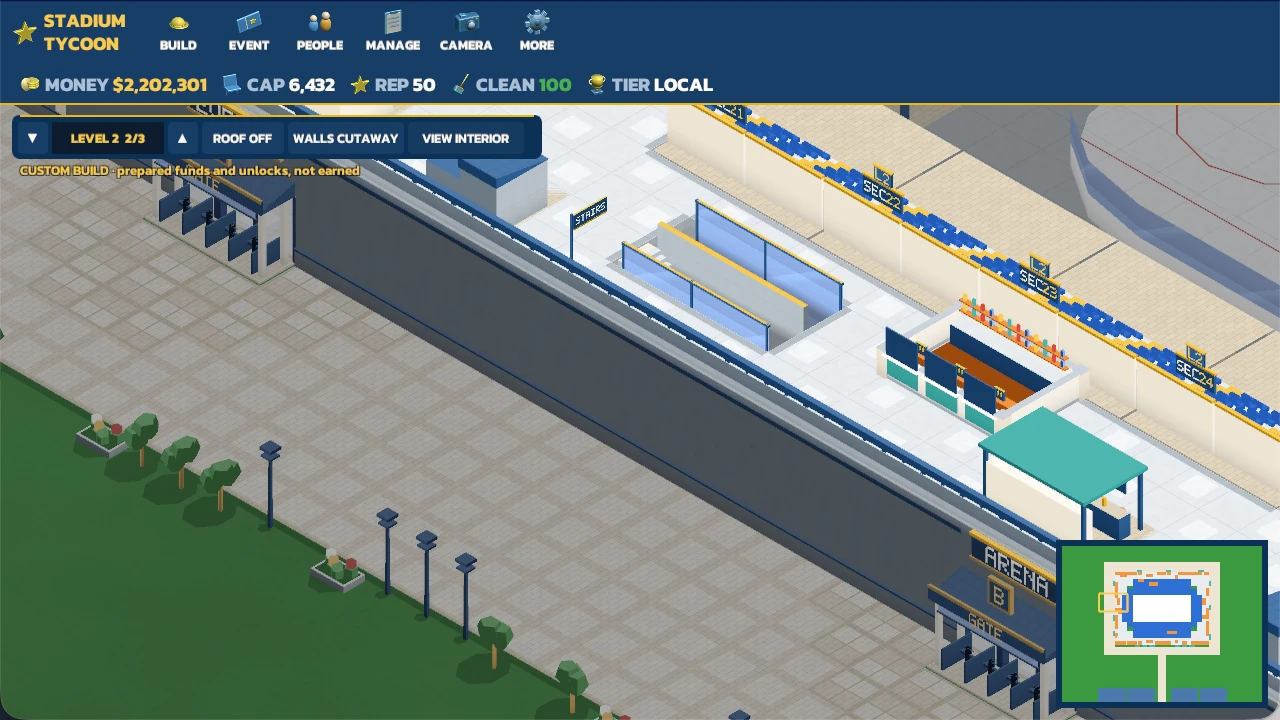
Stadium Tycoon is in development for desktop and isn’t available yet. The pictures come from development builds; the arena, concourse and report screens are from ordinary play in Custom Build mode, which starts with prepared funds and everything unlocked. Testing is still under way.
Follow Stadium Tycoon
We'll email you when there's testing or availability news. The next page shows how to sign up.
Follow Stadium Tycoon